

Tracking
You always know the status of each file.
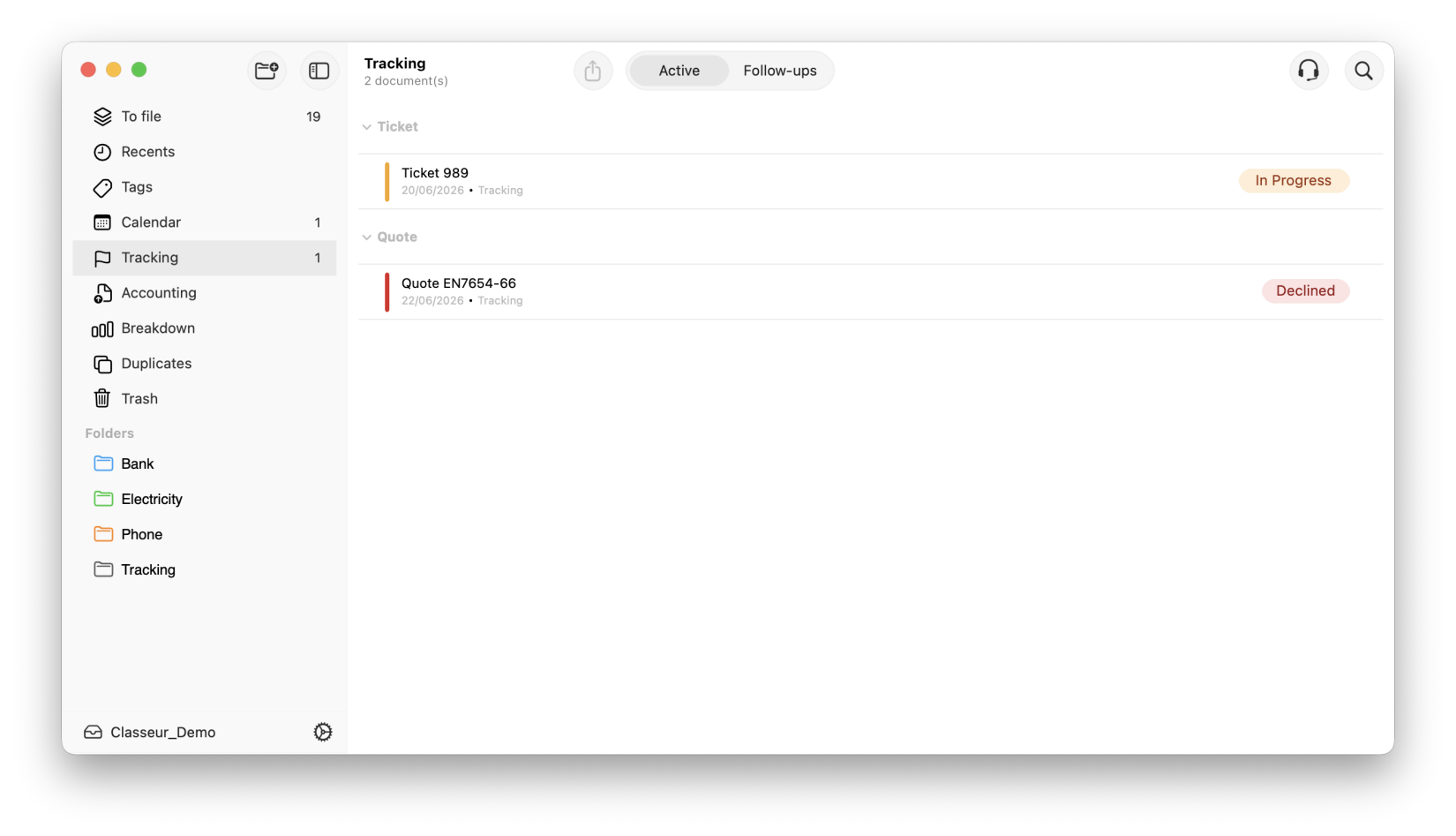
Tracking turns a document or an entire folder into a live timeline. Create your own stages, track their progress collaboratively, and let Storage remind you who to follow up with, at the right time.
Available with Storage Pro and Pro+.
The reality
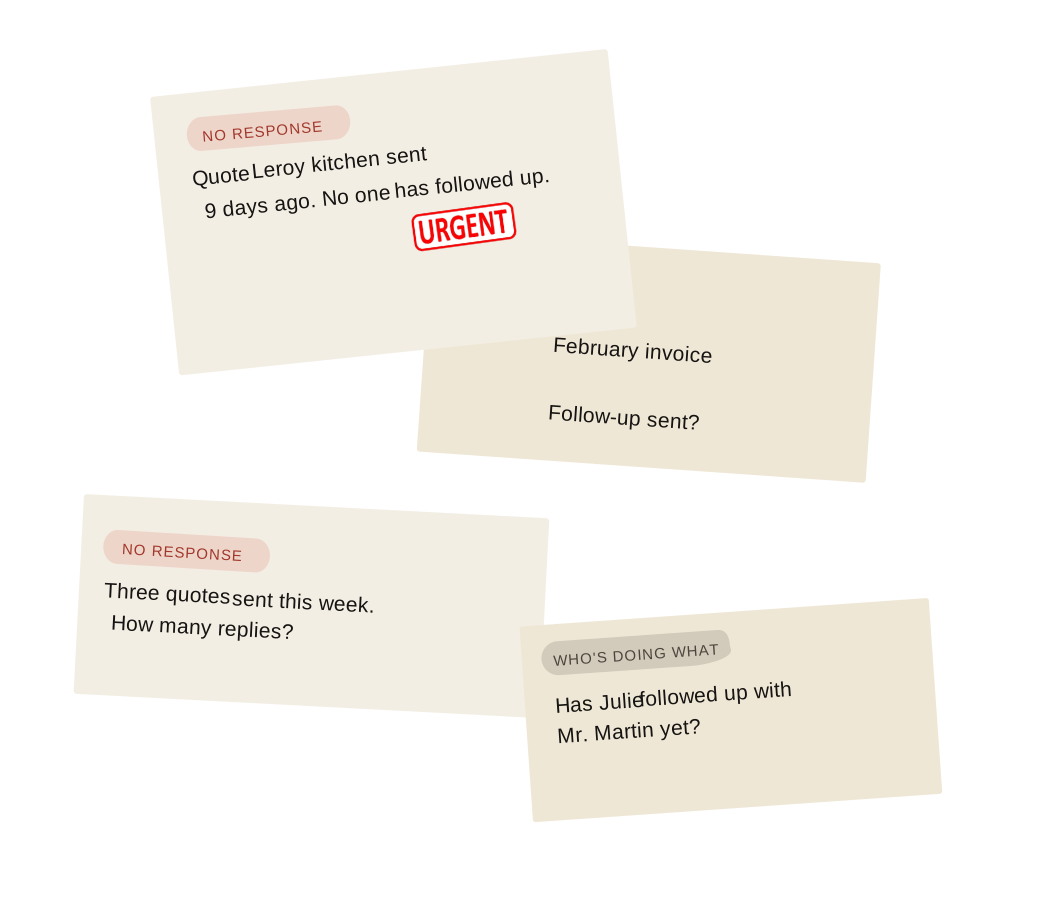
Your most important documents and files get lost in the silence.
A quote is sent by email, then nothing more. A client file is moving forward, but nobody knows what stage it’s at. Without a proper system, tracking relies on memory – and memory has its limits, especially on a Friday evening.
The solution
Every document or file follows its own path and alerts you.
Suivi adds a clear thread to whatever you want to track: a specific document, or a client file as a whole. Stages that you define, a colour that speaks for itself, and a follow-up that sets itself up automatically.
1. Define
Create your stages
Quotations, invoices, client files, support tickets: you design the workflow that suits your business, with as many stages as you need.
2. Track
Move a document or file forward
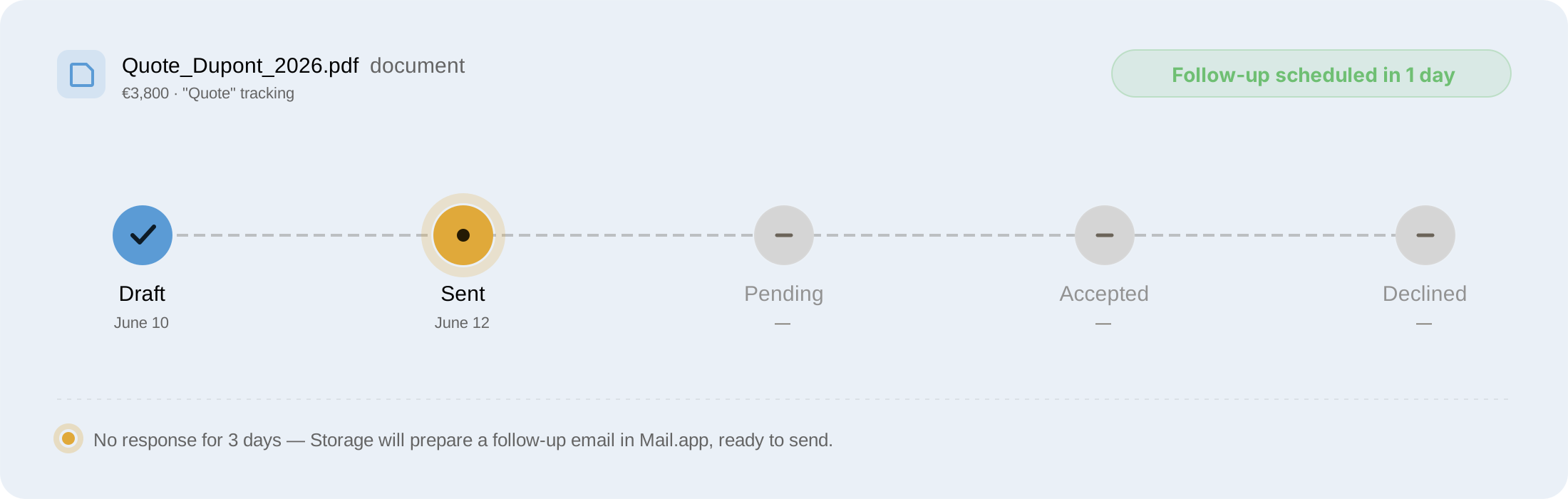
With a right-click, change the stage of a specific document or an entire file, whichever makes sense for your business. The time-stamped history keeps track of who did what, and when.
3. Follow up
Let Storage alert you
Once the deadline you’ve set has passed, the document appears in your reminders. One click opens the email draft, which is already filled in.
Overview
All your reminders, in one place.
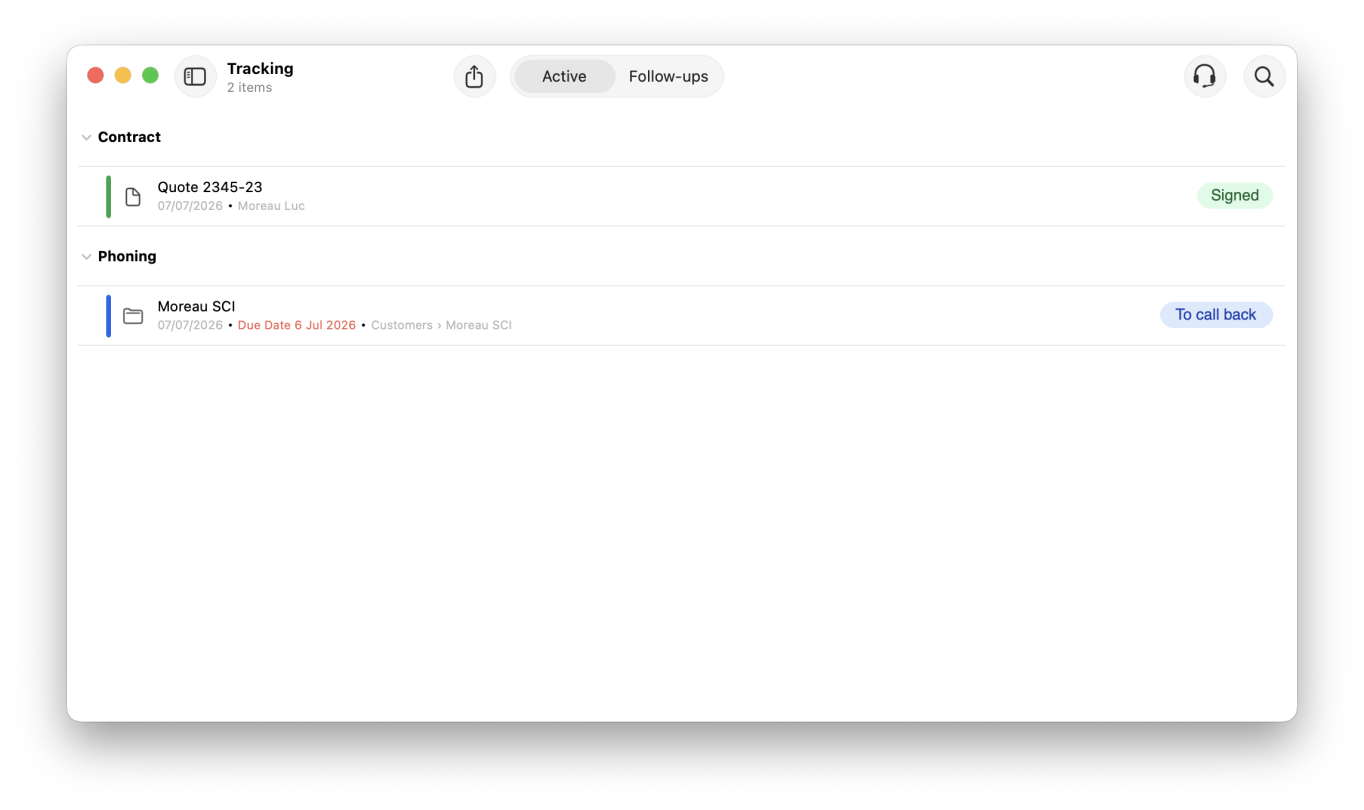
A dedicated tab shows only what requires action today – nothing more, nothing less. Select, prepare, send.
• Sorted by urgency, with days overdue displayed
• Multiple selection to handle several reminders at once
• One click opens Mail.app with the message already drafted
Traceability
A history that never lies.
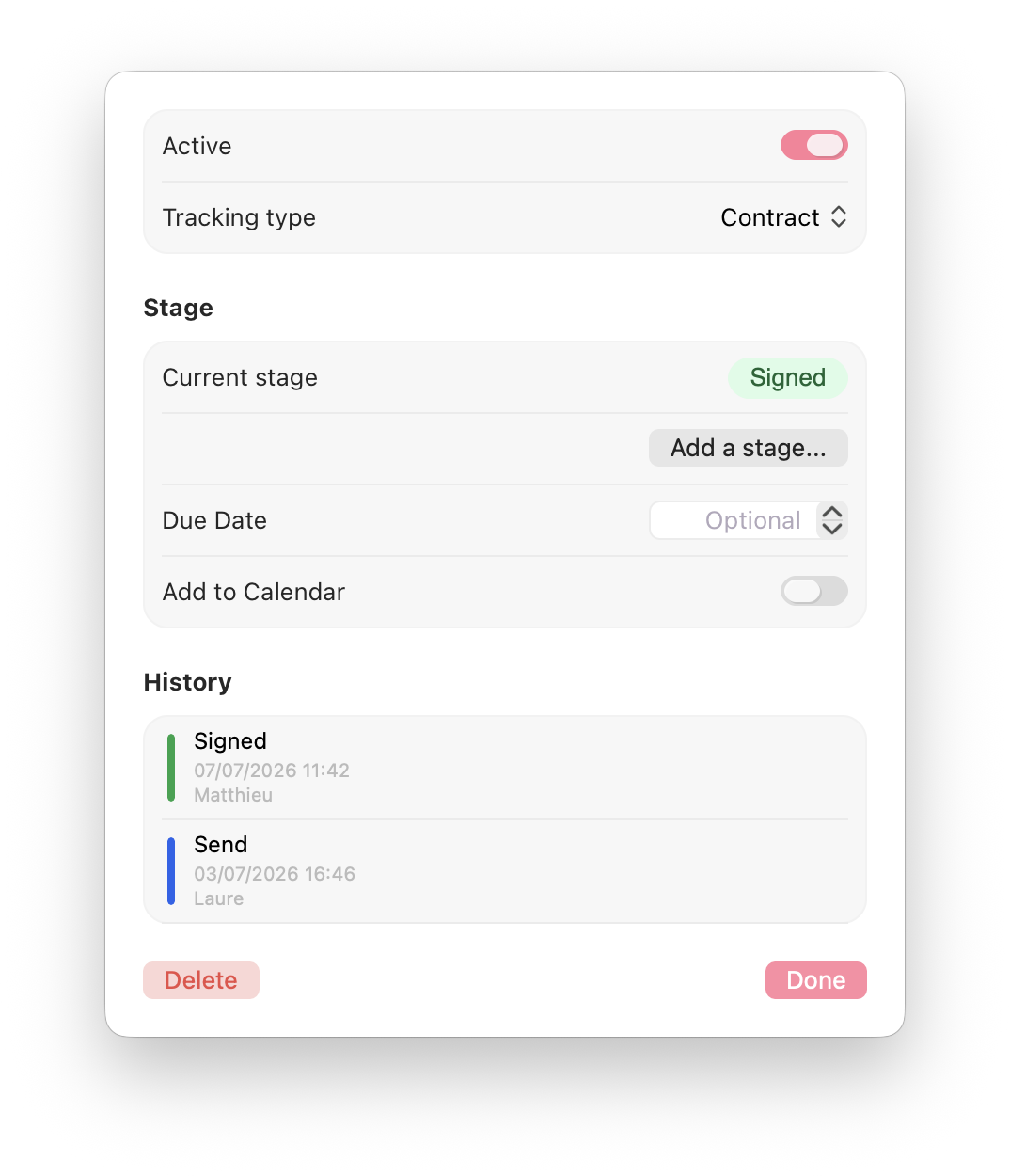
Every change of status is dated, time-stamped and assigned. Useful on its own, indispensable when working with others – everyone knows exactly where the case stands.
• Date, time and author of each stage completed
• The history remains accurate even if a step is renamed
• Works just as well on a single document as on an entire folder
Configuration
Set it once, apply it everywhere.
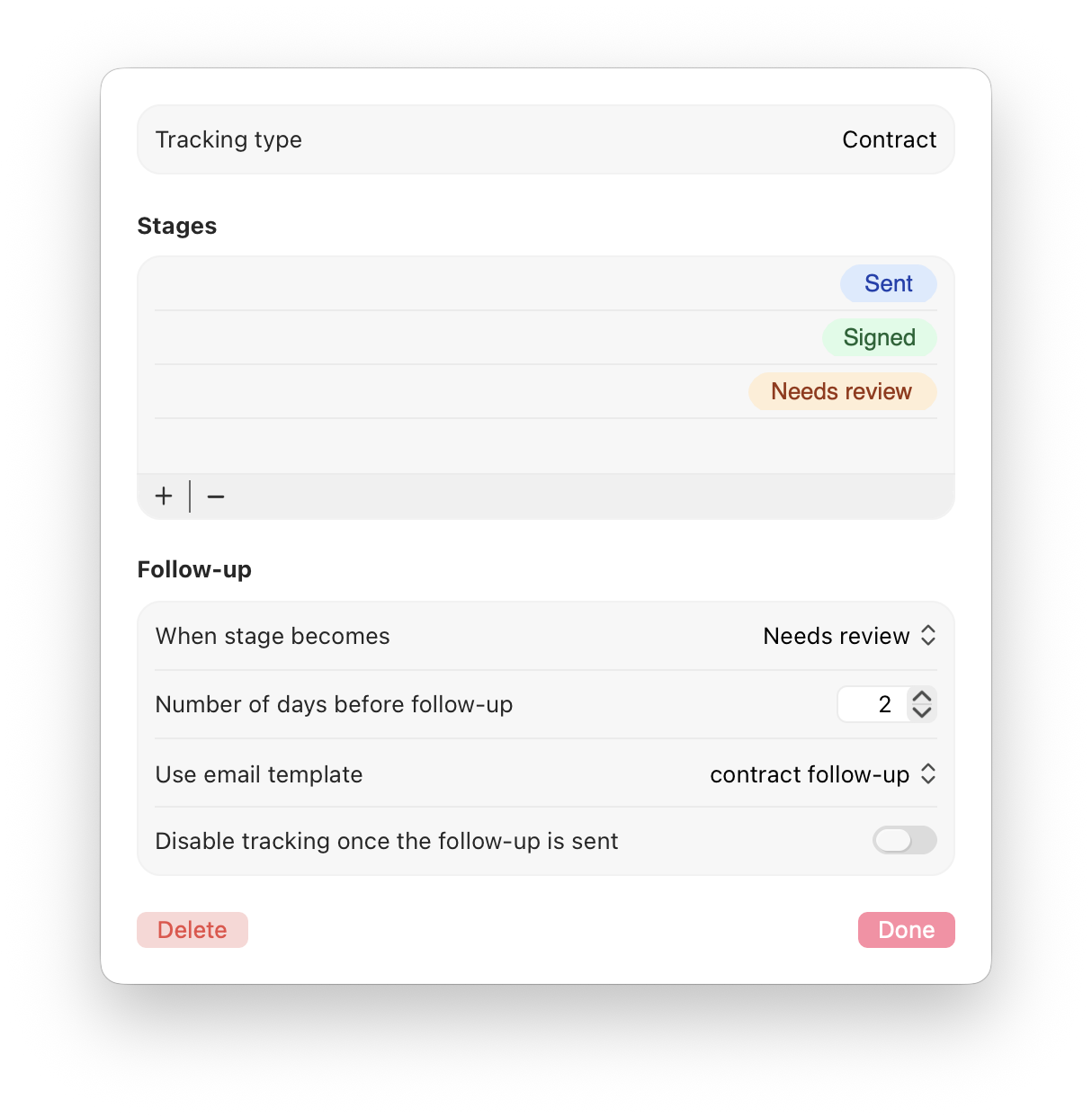
Set the reminder interval, the stage that triggers it and the associated email template. Storage takes care of the rest, quietly, as long as nothing changes.
• One time interval and one email template per type of follow-up
• Automatic deactivation of the follow-up after a reminder, if required
• As many types as there are ways of working in your industry
Who is it for
One tool, a different workflow for every business sector.
Follow-up provides a clear thread through whatever you need: a specific document, or a client file as a whole. Stages that you define, a colour that speaks for itself, and a reminder that sets itself up automatically.
.svg?t=4b935b16_01ac_4b6c_8852_44d0966c4832)
Tradespeople & micro-businesses
Track every quote from dispatch to signature, and every invoice right through to payment.
Draft > Sent > Accepted
.svg?t=4b935b16_01ac_4b6c_8852_44d0966c4832)
Solicitors & Legal Professionals
Track a client’s case from start to finish: investigation, hearing, judgement – without relying on a single document.
Opening > Investigation > Judgement
.svg?t=4b935b16_01ac_4b6c_8852_44d0966c4832)
Professionals
Track a reimbursement claim or a patient file, with a clear history even if several people access it.
Sent > Pending > Settled
Never have to follow up
‘from memory’.
Tracking is now available with Storage Pro and Pro+. Set up your first tracking type in under two minutes.