

Features
Everything Storage
does for you.
Smart filing, instant search, collaboration, accounting – every feature designed to save you time.
To be filed
File with a single click,
AI does the rest.
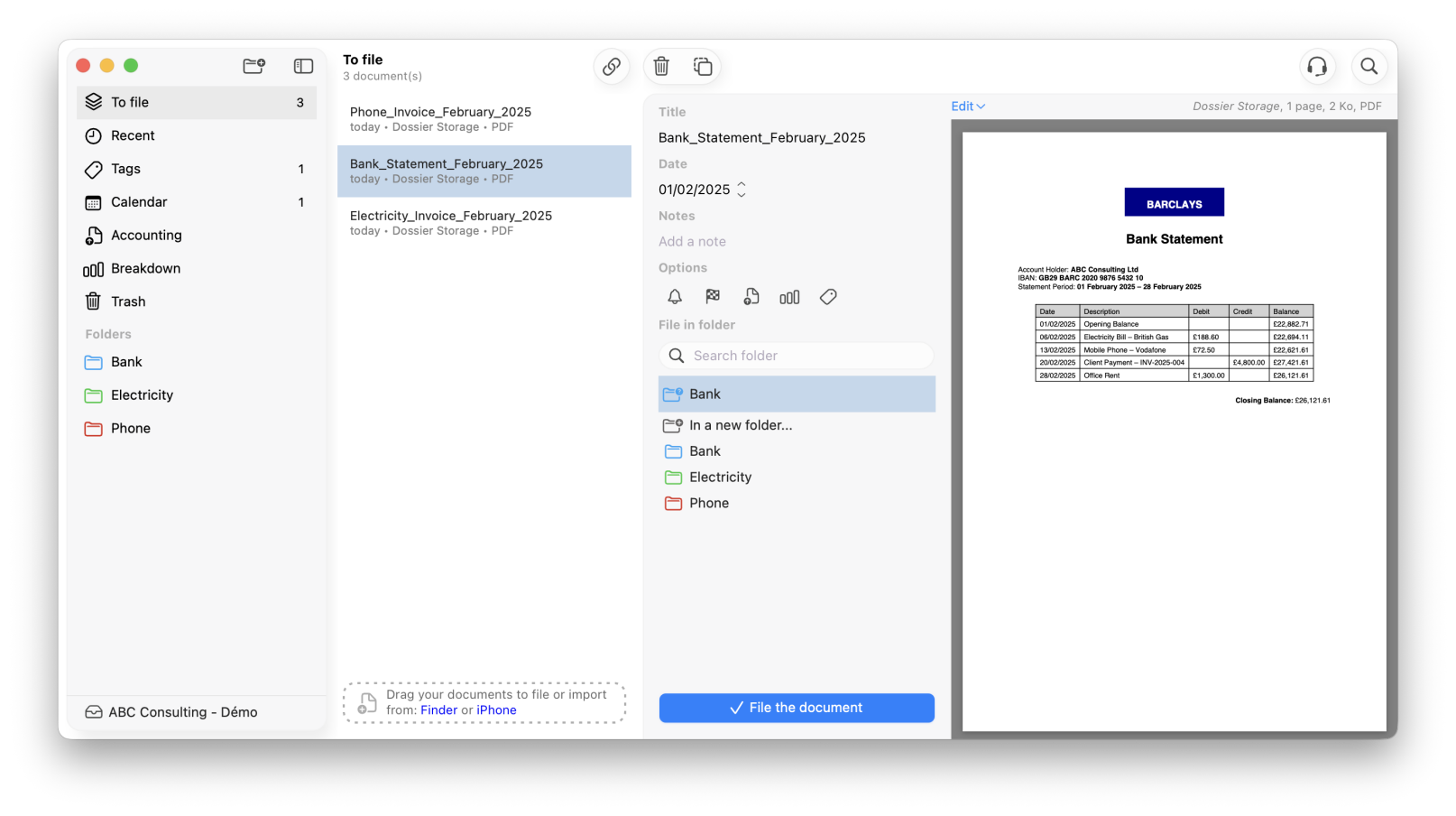
No more lost files. Storage brings all your documents to be filed together in one place and automatically suggests the right folder, date and title; it even detects duplicates.
• Automatic suggestion of title, folder and date
• Duplicate detection and removal
• Drag and drop from Finder or your email inbox
Storage Mobile
Scan from
your phone.
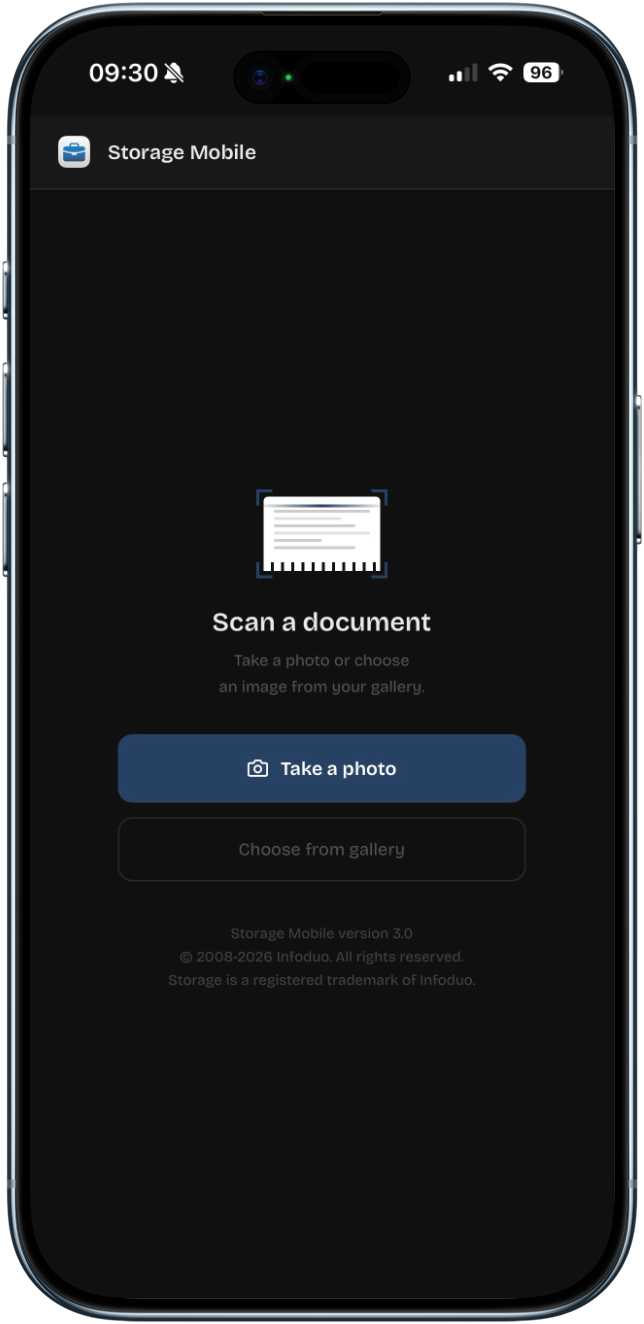
Take a photo of a receipt, invoice or contract using your iPhone. The document automatically appears in the “To File” bar in Storage on your Mac, wirelessly and effortlessly.
• Scan from the iOS mobile app
• Instant transfer to your Mac
• Never lose a receipt or purchase order again
Calendar
Your deadlines,
always visible.
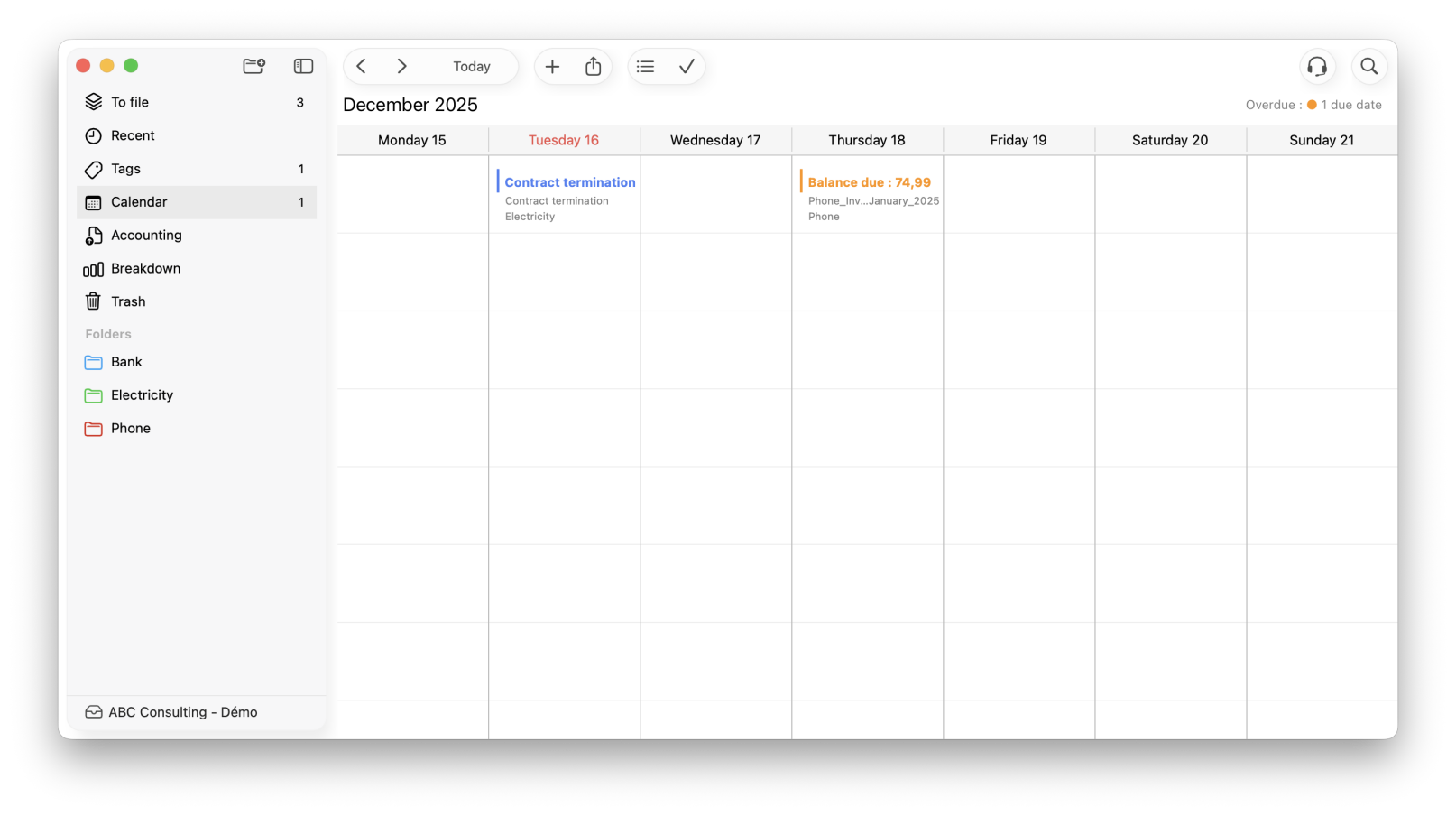
View all your reminders and deadlines for the week at a glance. Each reminder is linked directly to the relevant document; just one click is all it takes to open it.
• Weekly view of deadlines and reminders
• Direct access to the document from the calendar
• Synchronisation with the macOS Calendar app
Accounting
Send everything to
your accountant with a single click.
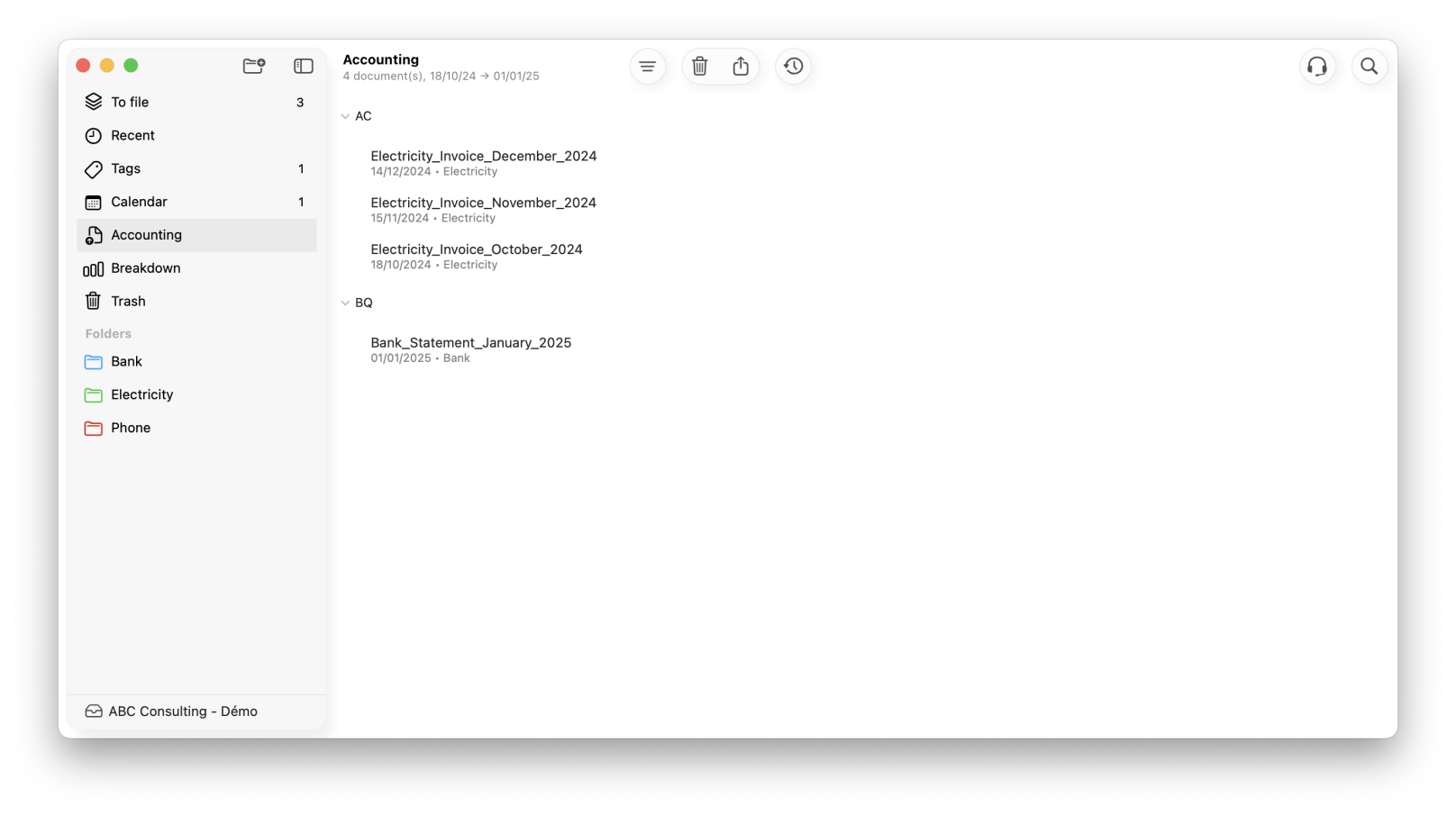
Set up the documents to send to your accountant once. Then, a single click sends them all – no more repetitive emails or forgotten items.
• Select documents to send by period
• Bulk sending with a single click
• Transmission history
Breakdown
Track your expenses
effortlessly.
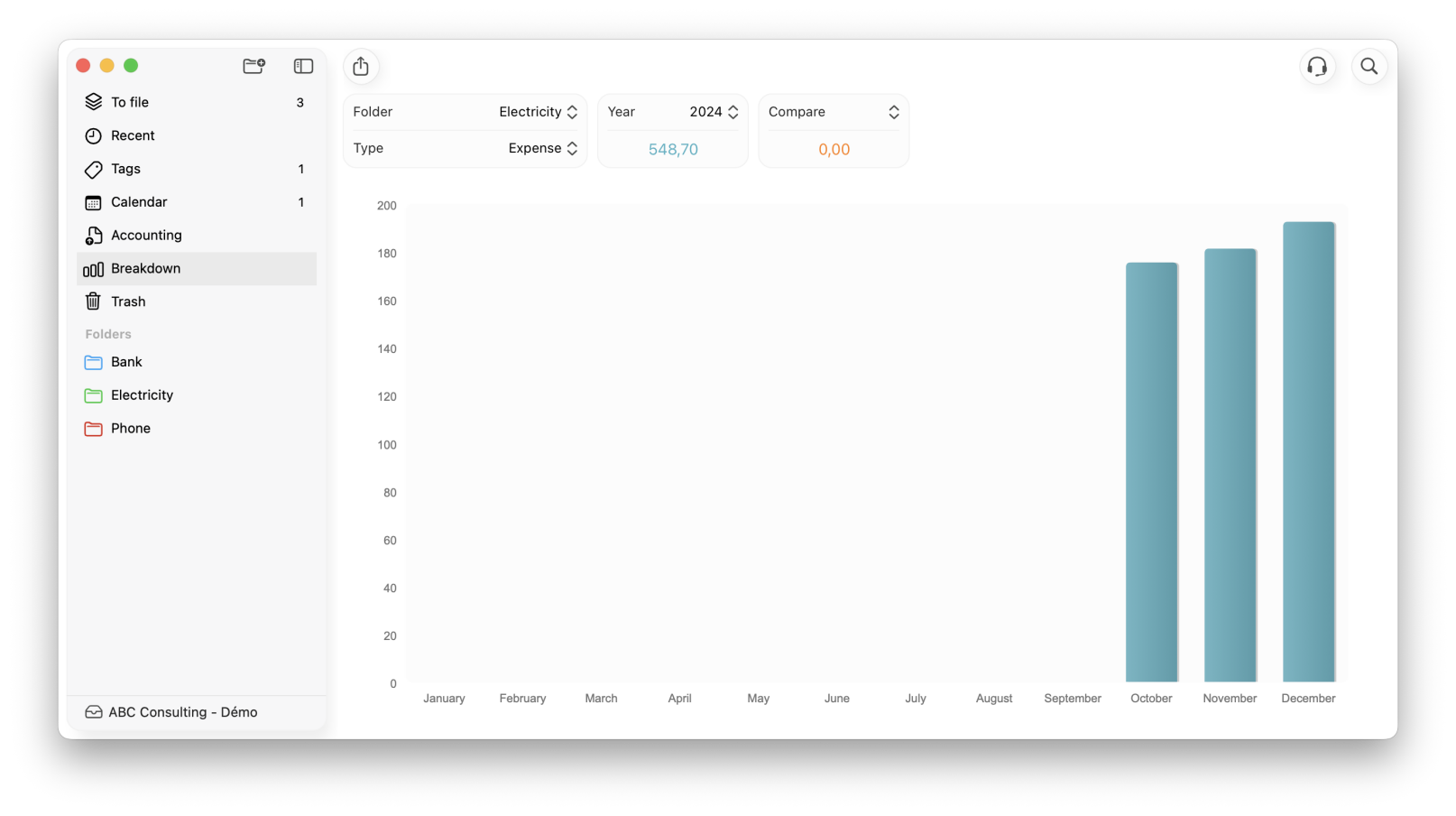
Select a folder and a time period: Storage displays the trend in your expenditure as a graph. Handy for comparing your electricity bills year on year.
• Trend graphs by folder and period
• Separate view of expenditure and income
• Data export
Word processing
Write directly
from your file.
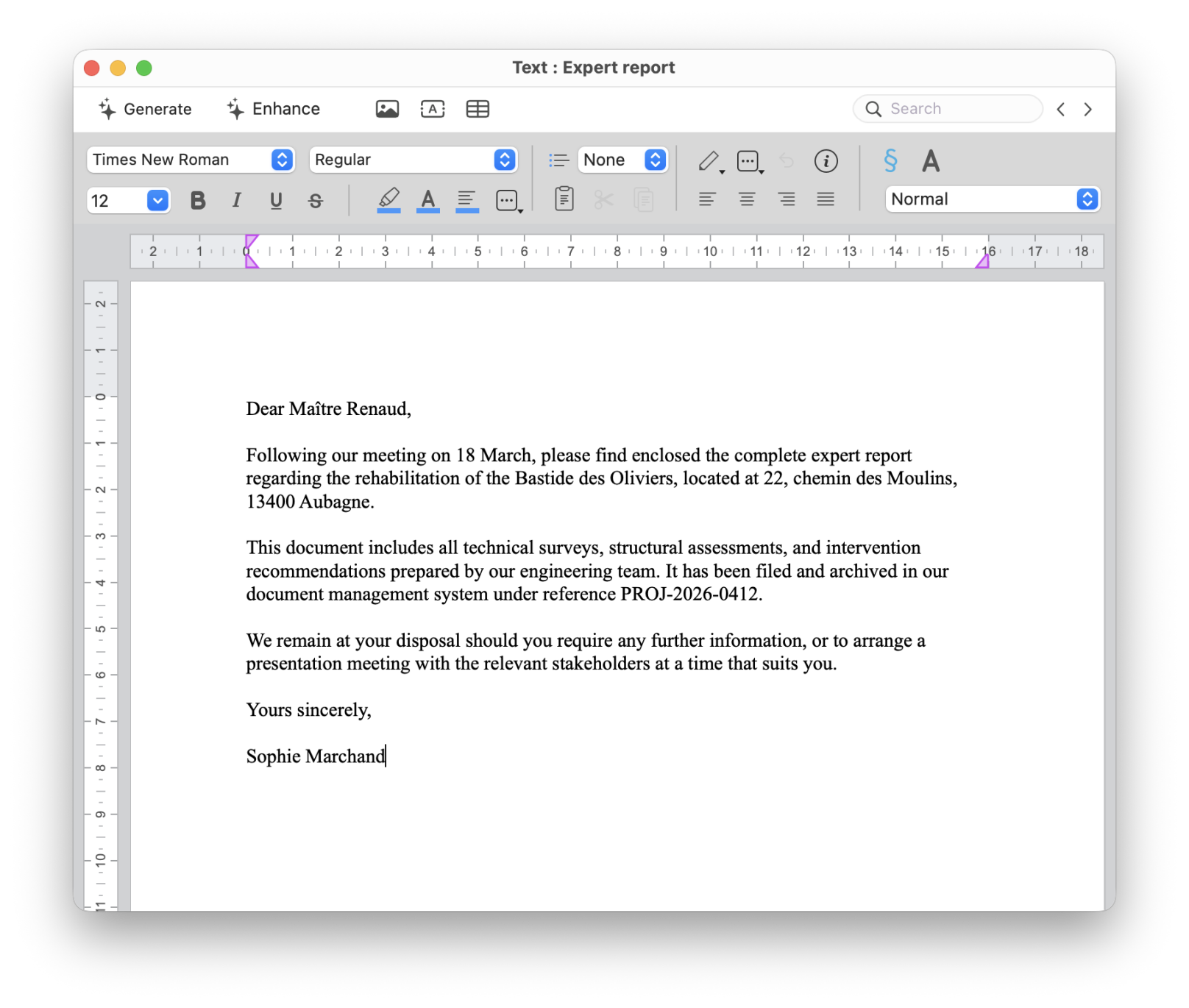
Generate a memo, letter or reminder from any file. Reusable templates for your recurring documents, with one-click export to Word.
• Creating memos, letters and correspondence from the file
• Templates for recurring documents
• Export to Word format (.docx)
Table
Your
structured.
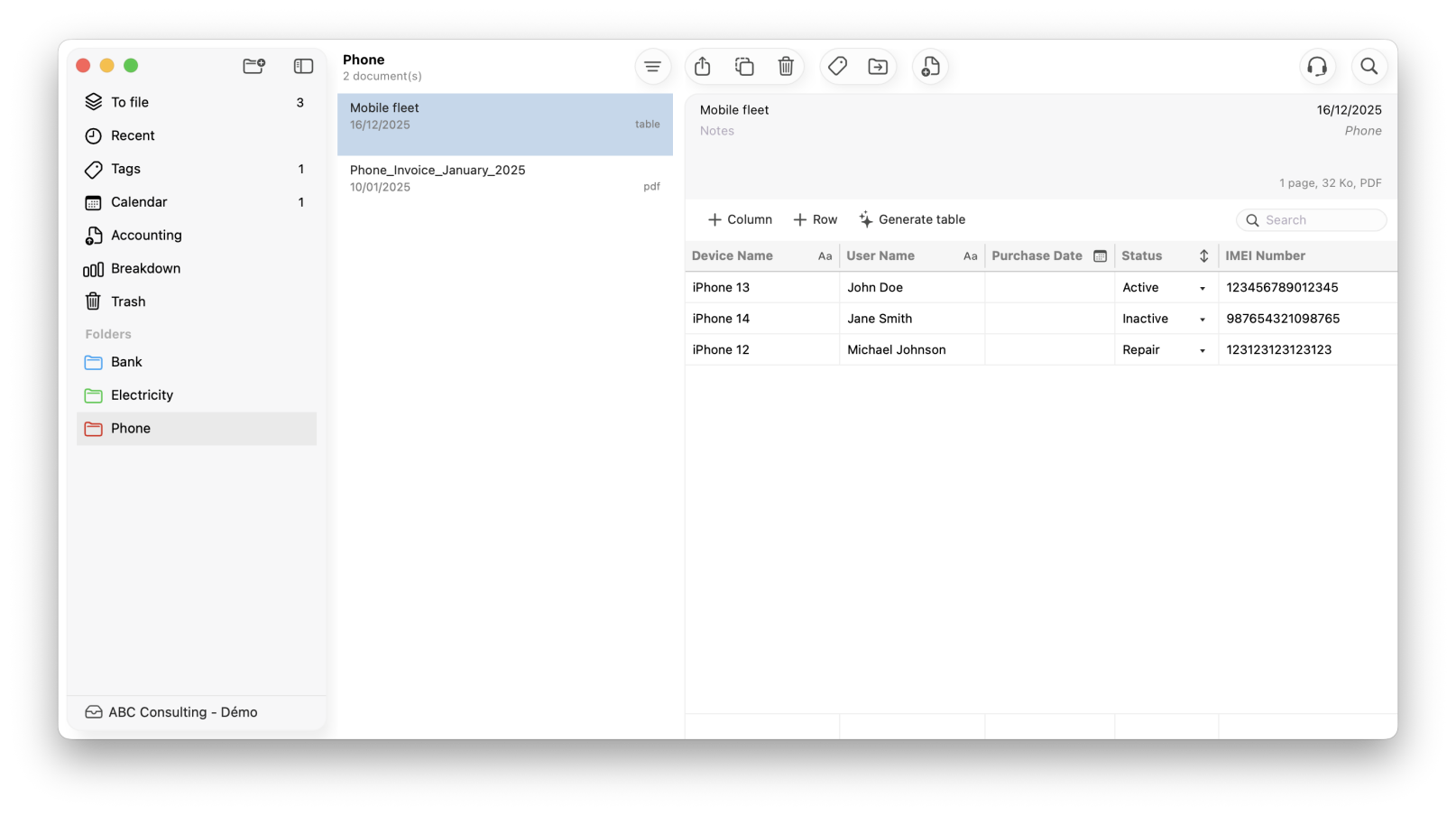
Create tables with customisable columns that can be rearranged using drag-and-drop. Add footer calculations and generate a share link to collaborate with your team.
• Customisable and reorderable columns
• Automatic calculations at the bottom of the table
• Share link for online viewing
Tracking
Track your documents, from sending to signing.
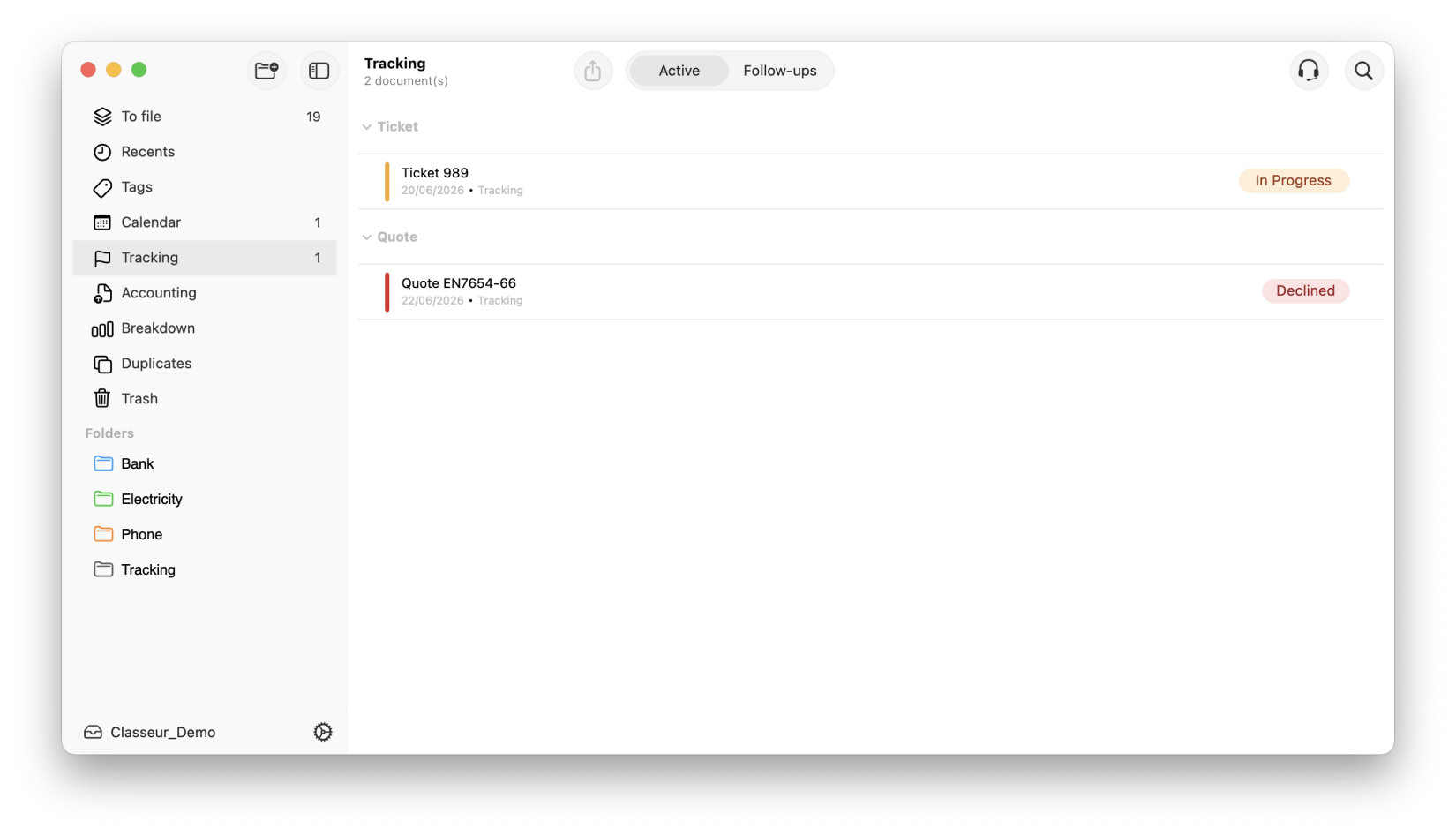
Turn Storage into a powerful commercial tracking tool. Assign a custom workflow to any document or folder: quote, invoice, contract, client file and track its progress step by step, as a team. Every team member can move items forward in the workflow and view the complete action history. Set up automatic email follow-ups and get an instant overview of everything awaiting a response. No quote ever falls through the cracks again.
Search
Find any
document in seconds.
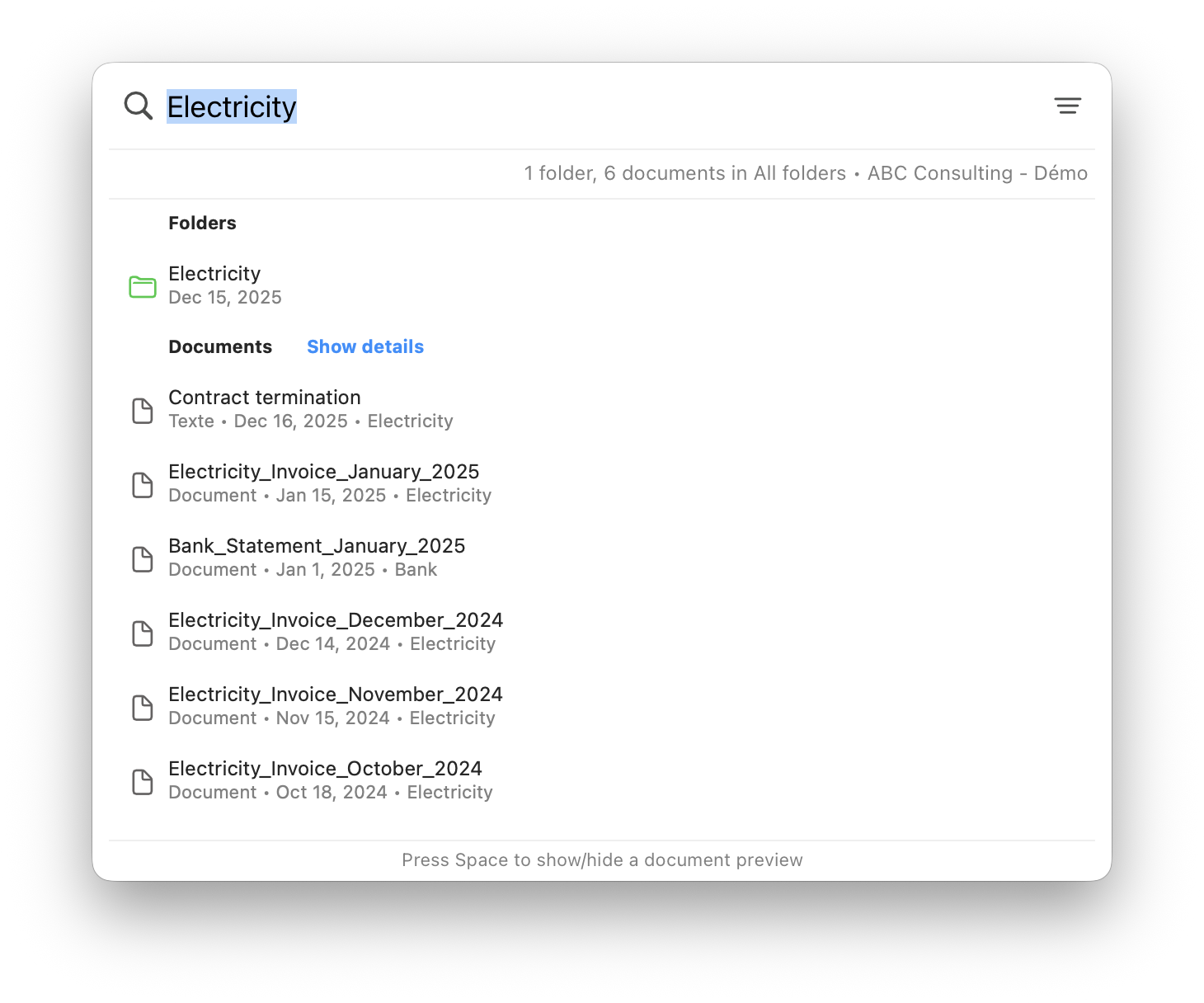
Type in a few words and Storage searches through titles, folders… and even inside your PDFs thanks to the built-in OCR. No need to remember the file name.
• Full-text search in titles and folders
• Powerful OCR, searches within PDF content
• Results sorted by relevance
Missing
Never miss
a single document.
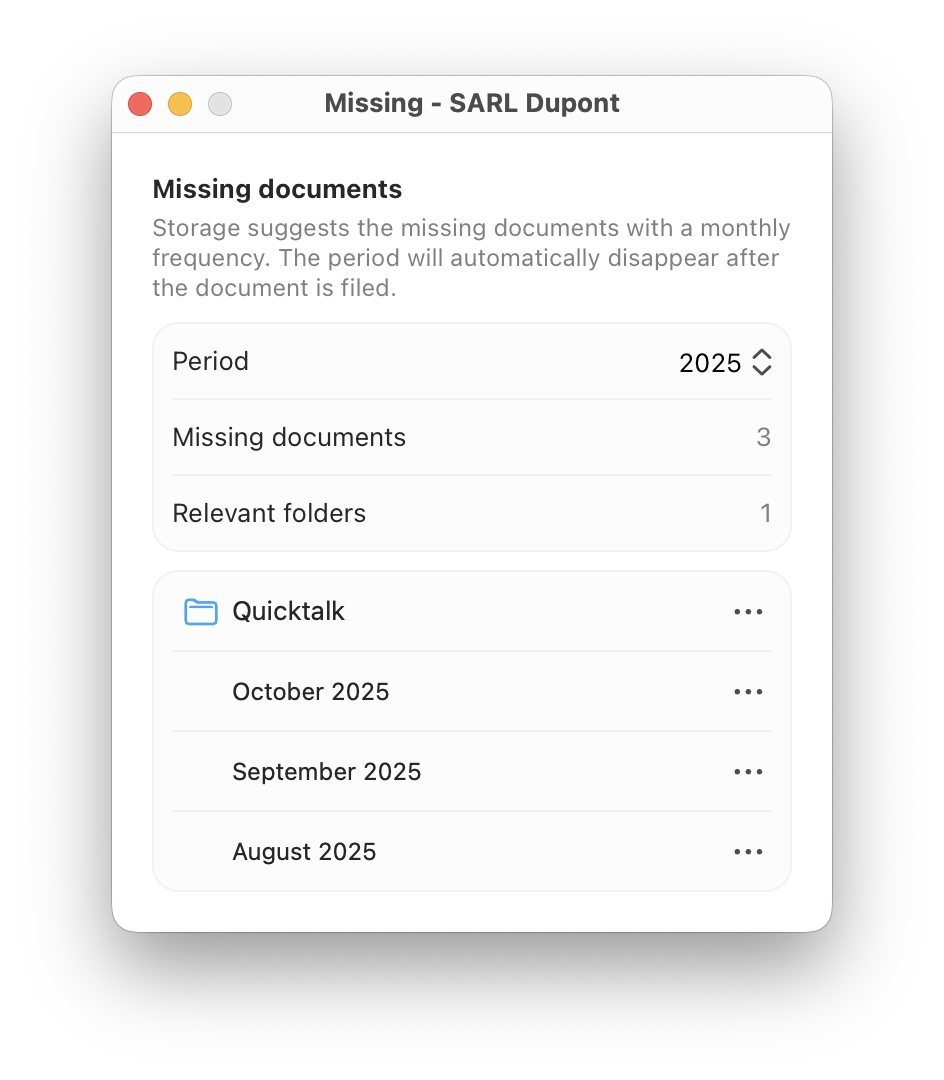
Storage analyses your habits and automatically detects when a regular monthly document hasn’t arrived. A discreet alert notifies you before it becomes a problem.
• Detection of missing monthly documents
• Alert before accounting deadlines
• Summary view of missing items by folder
Binders
Personal and business,
clearly separated.
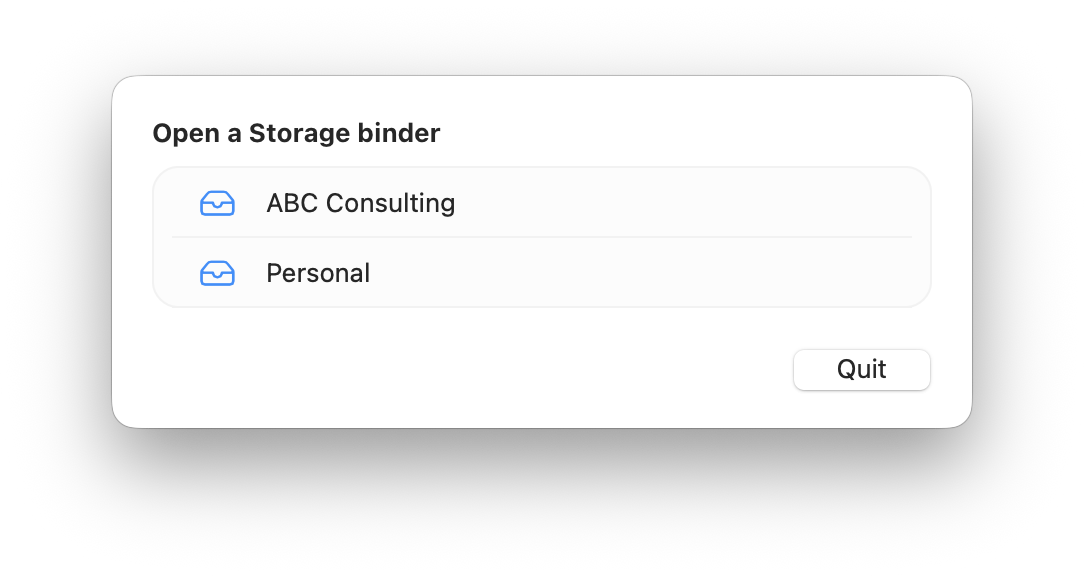
Create a binder for your personal life and another for your professional activities. Each binder is completely independent; your files never get mixed up.
• Multiple, independent binders
• Strict separation of personal and professional contexts
• Password protection per binder
And also
Additional tools,
to take things further.
Six additional features that make Storage much more than just a folder.

Time spent
Track the time spent on each file to better manage your business and bill accurately.

Automatic attachments
Storage automatically downloads attachments from a dedicated email account directly into “To be filed”.

Import Finder folders
Integrate your existing folders in just a few clicks, as if you’d always had Storage.
.svg?t=698b0c20_ab79_4198_9c31_c8315b677d4a)
Built-in backup
Your binders are automatically backed up, either locally or to Storage Cloud, for maximum security.

Password protection
Lock access to your sensitive binders with a password. Your documents remain confidential.

Microsoft Office compatible
Import and organise your Word, Excel and PowerPoint files directly into Storage without conversion.
Get started
Ready to try it out?
14 days free, no credit card required. Cancel at any time.
Any questions?
Call us on 04 65 84 72 04.
Storage, the Document Management System (DMS) software for Mac, designed for demanding professionals and individuals. Organise and find your documents in an instant.
Conceived, designed and developed by Infoduo in Aix-en-Provence 🇫🇷 since 2008.
Copyright © 2008 - 2026 Infoduo - All rights reserved.